


Seamless Task Management,
Supercharged Productivity
Seamless Task Management, Supercharged Productivity
Boost your team’s productivity with the best features from all task management tools available. Organize all your projects, programs, and goals with TaskGrid, no matter how complex they may be
Explore various visual representations
for your work.
Explore
various visual representations
for your work.


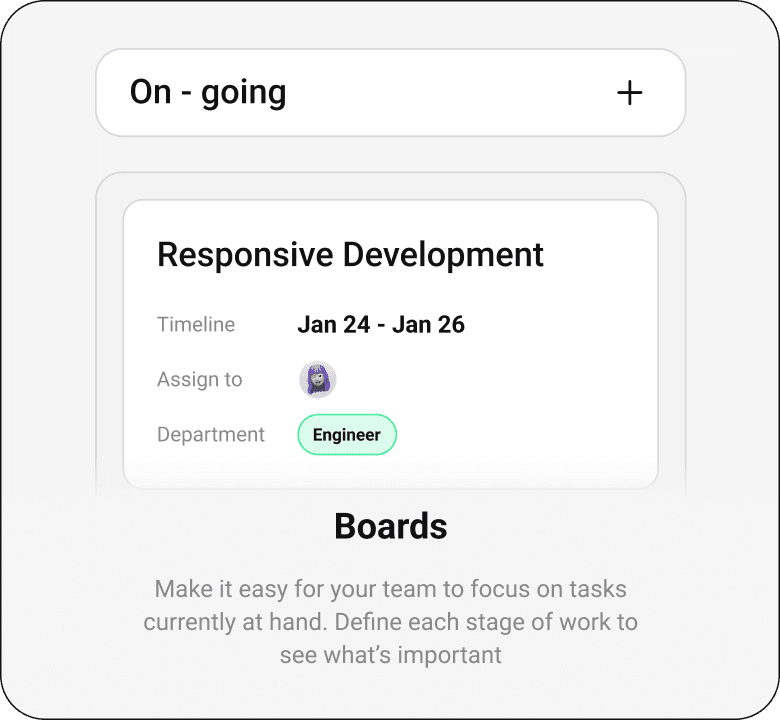
Manage your projects from start to finish.
Efficiently oversee your projects from initiation to completion. Have full visibility on task assignments and deadlines, ensuring you always stay informed on who is responsible for each task and its respective timeline.

Projects
Organize your work into shared projects as lists or Kanban boards
Organize your work into shared projects as lists or Kanban boards
Tasks
Break work into manageable pieces for you and your team.
Break work into manageable pieces for you and your team.
Subtasks
Break up a task into smaller parts to complete an overall task.
Break up a task into smaller parts to complete an overall task.
Time tracking
Use an embedded timer or manually track the time spent on tasks
Use an embedded timer or manually track the time spent on tasks
Milestones
Visualize significant checkpoints in your project to measure
Visualize significant checkpoints in your project to measure
Task assignees
Give tasks a clear owner, so everyone knows who’s responsible.
Give tasks a clear owner, so everyone knows who’s responsible.
Sections
Group tasks into sections in any project to match workflows
Group tasks into sections in any project to match workflows
Due dates and times
Set clear and synchronized deadlines by specifying the due date and time
Set clear and synchronized deadlines by specifying the due date and time
Unleash the Power of Robust Reporting
Gain valuable visibility and real-time insights across your entire organization with our powerful reporting capabilities. Stay informed about work progress, track key metrics, and make data-driven decisions effortlessly.
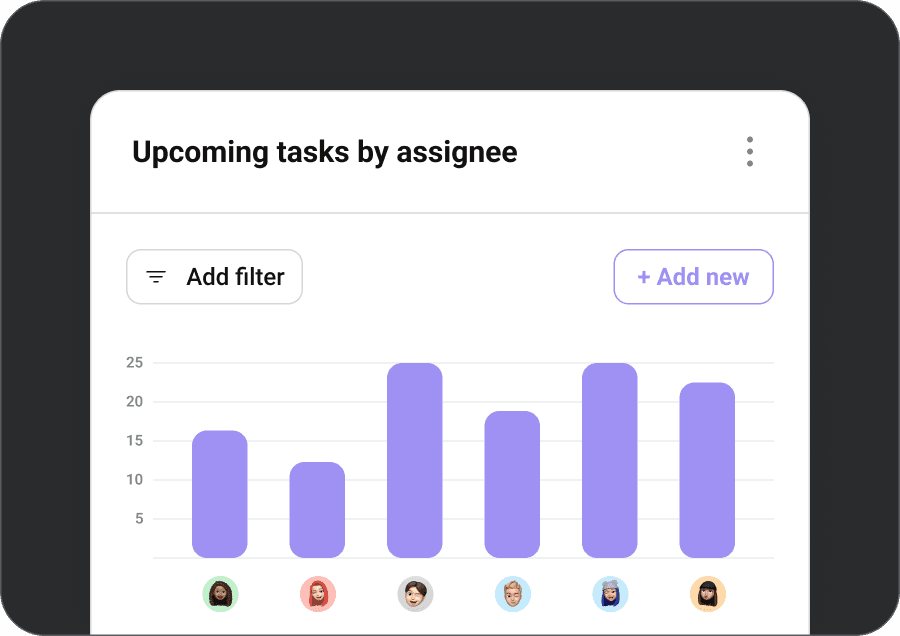
Unleash the Power of Robust Reporting
Gain valuable visibility and real-time insights across your entire organization with our powerful reporting capabilities. Stay informed about work progress, track key metrics, and make data-driven decisions effortlessly.
Unleash the Power of Robust Reporting
Gain valuable visibility and real-time insights across your entire organization with our powerful reporting capabilities. Stay informed about work progress, track key metrics, and make data-driven decisions effortlessly.
My tasks
Your space to organize and prioritize your daily tasks and project work.
Your space to organize and prioritize your daily tasks and project work.
Timeline
See how the pieces of your project fit together and keep work on track
See how the pieces of your project fit together and keep work on track
Dashboards
Customize charts to see where work may be blocked or off track
Customize charts to see where work may be blocked or off track

Calendar view
See any list of tasks on a Calendar to get a clear view of when work is due.
See any list of tasks on a Calendar to get a clear view of when work is due.
Files view
Find the project files you need quickly in a gallery view with all filesz
Find the project files you need quickly in a gallery view with all filesz
Workload
Get a real-time overview of how busy team members are across projects
Get a real-time overview of how busy team members are across projects
Inbox
Get updates about the projects, conversations, etc that matter to you.
Get updates about the projects, conversations, etc that matter to you.
Project export
Export to CSV and JSON if you want to slice and dice your own data.
Export to CSV and JSON if you want to slice and dice your own data.
Enhancing Clarity and Collaboration
By tying communication to specific entities, you ensure that discussions, updates, and information are easily accessible and relevant, eliminating confusion and streamlining collaboration within your team

Task comments
Comment directly on a task to clarify exactly what needs to be done
Comment directly on a task to clarify exactly what needs to be done
Project conversations
Discuss a project’s progress to keep the momentum going.
Discuss a project’s progress to keep the momentum going.
Messaging
Send private messages in Taksmax to people, projects, and teams.
Send private messages in Taksmax to people, projects, and teams.
Team conversations
Team conversations
Create a space for all team conversations and announcements.
Create a space for all team conversations and announcements.

Bridge the Gap between Your
Tools and TaskGrid
We have more than 200+ integrations, so you can use your favorite work tools to
communicate, collaborate, and coordinate work in one place, from start to finish.

Jira Cloud
Create interactive, connected workflows between technical and business teams to increase visibility around the product development process in real-time

Salesforce
Streamline collaboration throughout the sales cycle to deliver amazing customer experiences and connect goals to monitor impact and make informed business decisions.

OneDrive
Turn emails into actionable, trackable tasks in TaskGrid without leaving your Gmail inbox and automate key actions to move work forward.

OneDrive
Easily attach files from OneDrive to TaskGrid, and use TaskGrid Rules to automatically upload a task attachment to a OneDrive folder.
Bridge the Gap between Your
Tools and TaskGrid
We have more than 200+ integrations, so you can use your favorite work tools to
communicate, collaborate, and coordinate work in one place, from start to finish.
Jira Cloud
Create interactive, connected workflows between technical and business teams to increase visibility around the product development process in real-time
Salesforce
Streamline collaboration throughout the sales cycle to deliver amazing customer experiences and connect goals to monitor impact and make informed business decisions.
OneDrive
Turn emails into actionable, trackable tasks in TaskGrid without leaving your Gmail inbox and automate key actions to move work forward.
OneDrive
Easily attach files from OneDrive to TaskGrid, and use TaskGrid Rules to automatically upload a task attachment to a OneDrive folder.


Jira Cloud
Create interactive, connected workflows between technical and business teams to increase visibility around the product development process in real-time

Salesforce
Streamline collaboration throughout the sales cycle to deliver amazing customer experiences and connect goals to monitor impact and make informed business decisions.

OneDrive
Turn emails into actionable, trackable tasks in TaskGrid without leaving your Gmail inbox and automate key actions to move work forward.

OneDrive
Easily attach files from OneDrive to TaskGrid, and use TaskGrid Rules to automatically upload a task attachment to a OneDrive folder.
Bridge the Gap between Your
Tools and TaskGrid
We have more than 200+ integrations, so you can use your favorite work tools to communicate, collaborate, and coordinate work in one place, from start to finish.
Your Top Questions Answered
Are custom fields specific to a project or reusable?
All paid TaskGrid plans include unlimited custom fields. Additionally, TaskGrid Basic users have access to predefined custom fields, like priority status.Custom fields let you add additional data to tasks in your TaskGrid projects. Creating a custom field using one of our 17 different custom field types means you can create a field for stage, priority, cost, or anything else that’s important to your workflow, team, and company.
Are custom fields specific to a project or reusable?
Are calendar views included in all TaskGrid plans?
Which work, project, and task management features are included in TaskGrid plans?
Can you create custom templates in TaskGrid?
Can you create a project in TaskGrid by importing a CSV?
Your Top Questions Answered
Are custom fields specific to a project or reusable?
All paid TaskGrid plans include unlimited custom fields. Additionally, TaskGrid Basic users have access to predefined custom fields, like priority status.Custom fields let you add additional data to tasks in your TaskGrid projects. Creating a custom field using one of our 17 different custom field types means you can create a field for stage, priority, cost, or anything else that’s important to your workflow, team, and company.
Are custom fields specific to a project or reusable?
Are calendar views included in all TaskGrid plans?
Which work, project, and task management features are included in TaskGrid plans?
Can you create custom templates in TaskGrid?
Can you create a project in TaskGrid by importing a CSV?
Your Top Questions Answered
Are custom fields specific to a project or reusable?
All paid TaskGrid plans include unlimited custom fields. Additionally, TaskGrid Basic users have access to predefined custom fields, like priority status.Custom fields let you add additional data to tasks in your TaskGrid projects. Creating a custom field using one of our 17 different custom field types means you can create a field for stage, priority, cost, or anything else that’s important to your workflow, team, and company.
Are custom fields specific to a project or reusable?
Are calendar views included in all TaskGrid plans?
Which work, project, and task management features are included in TaskGrid plans?
Can you create custom templates in TaskGrid?
Can you create a project in TaskGrid by importing a CSV?
Supercharge Your Projects and Products
with the Unmatched #1 Software
in Management!"


Supercharge Your Projects and Products with the Unmatched #1 Software in Management!"
Supercharge Your Projects and Products
with the Unmatched #1 Software
in Management!"


